
Notifications
GradingPrep Order Text Updates
Program disclosure · Last updated October 14, 2026
What we text
GradingPrep LLC sends transactional text messages about your card prep orders — only when an order needs something from you or reaches a milestone:
- Your cards arrived at GradingPrep
- Your evaluation is ready to review (and the prep bill, when there is one)
- A payment is due or overdue
- A reminder if cards for a submitted order haven't shipped
- A note when we need your answer on an order
- Your grades are in
- Your cards are ready to ship home and need a shipping choice
- Your cards are on the way back, with tracking
We never send marketing, promotions or newsletters by text.
How you opt in
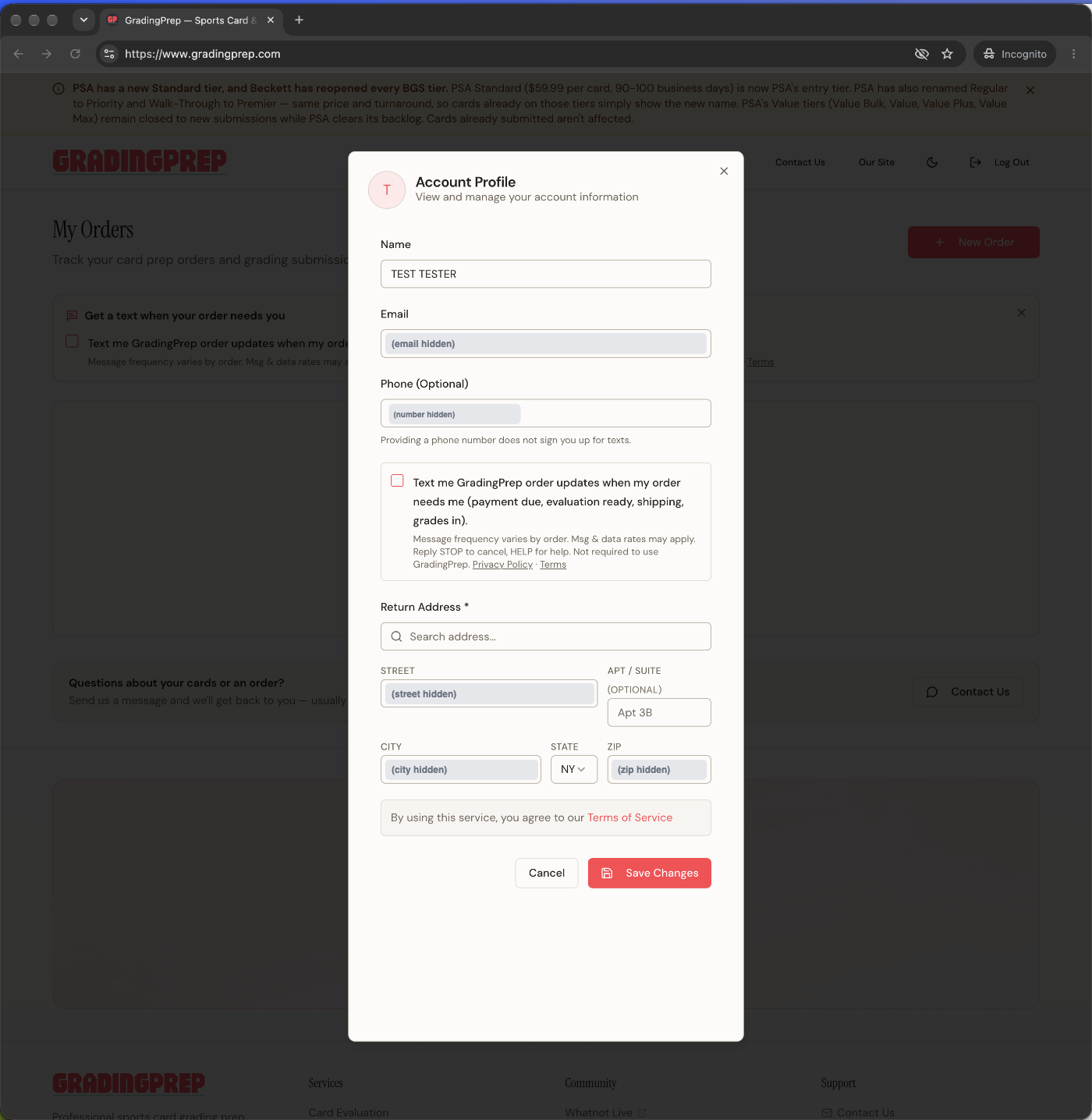
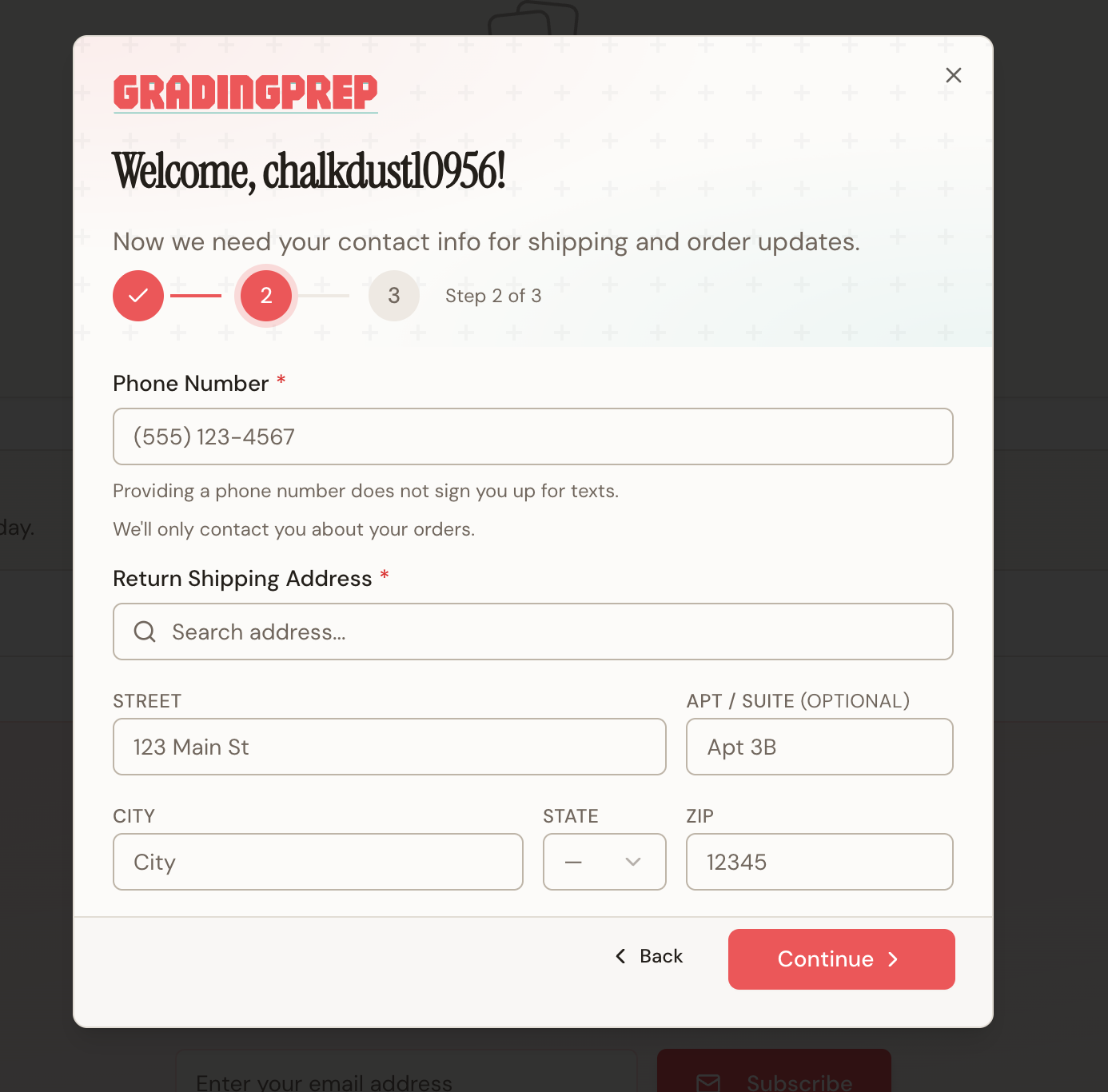
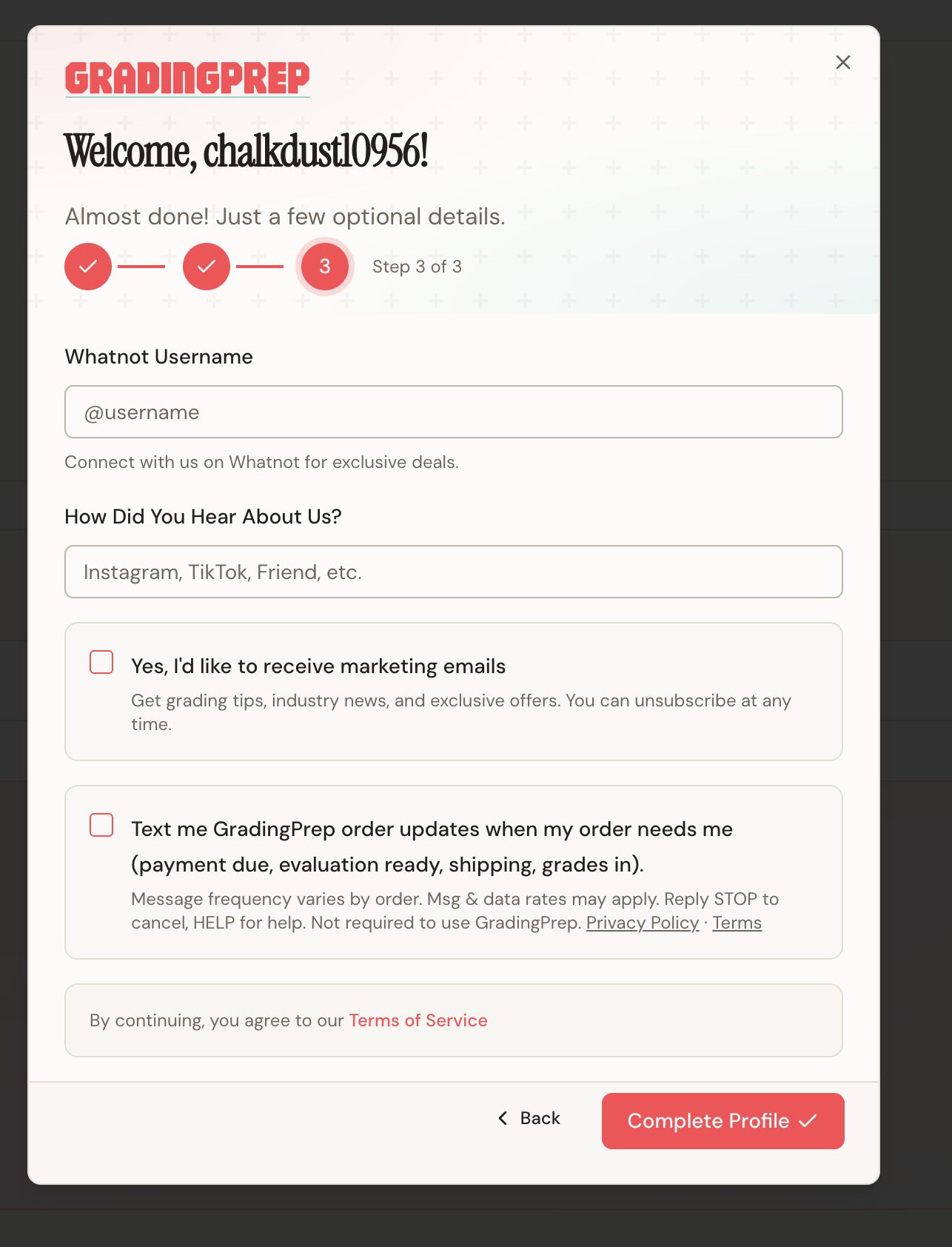
Texts are off by default. You turn them on yourself — the “Text messages” switch under Notifications on your account profile, this box during account setup, or the same box on a page linked from a GradingPrep email (“Turn on texts”). It is never pre-selected and it is separate from accepting our Terms of Service. Turning it on sends one confirmation text right away.
Message frequency varies by order. Msg & data rates may apply. Reply STOP to cancel, HELP for help. Not required to use GradingPrep. Privacy Policy · Terms
Under the phone field: “Providing a phone number does not sign you up for texts.”
Consent language, verbatim: “Text me GradingPrep order updates when my order needs me (payment due, evaluation ready, shipping, grades in).” — “Message frequency varies by order. Msg & data rates may apply. Reply STOP to cancel, HELP for help. Not required to use GradingPrep.”
As it appears on your account
Uncropped screenshots of the live site at www.gradingprep.com (account profile, account setup and the signed-in dashboard). The box is unchecked until you check it.

Frequency, rates and carriers
- Frequency: varies by order — typically 4–7 messages over the life of an order, none between orders.
- Cost: message and data rates may apply according to your mobile plan.
- Carriers are not liable for delayed or undelivered messages.
- Sender: texts come from our dedicated GradingPrep number.
How to stop, or get help
- STOP: reply STOP to any message to cancel. You'll get one confirmation and nothing further. You can also turn off Text messages on your profile.
- START: reply START to turn texts back on.
- HELP: reply HELP, email [email protected], or visit gradingprep.com.
Opting out of texts never affects your orders — every update is also sent by email.
Your number
Your phone number and opt-in consent are used only to deliver these messages and are never shared with or sold to third parties for marketing. See our Privacy Policy and the SMS section of our Terms of Service.
GradingPrep LLC · PO Box 2, Ardsley, NY 10502 · [email protected]